
NuevaFlo changelog
Plantillas de Cargos
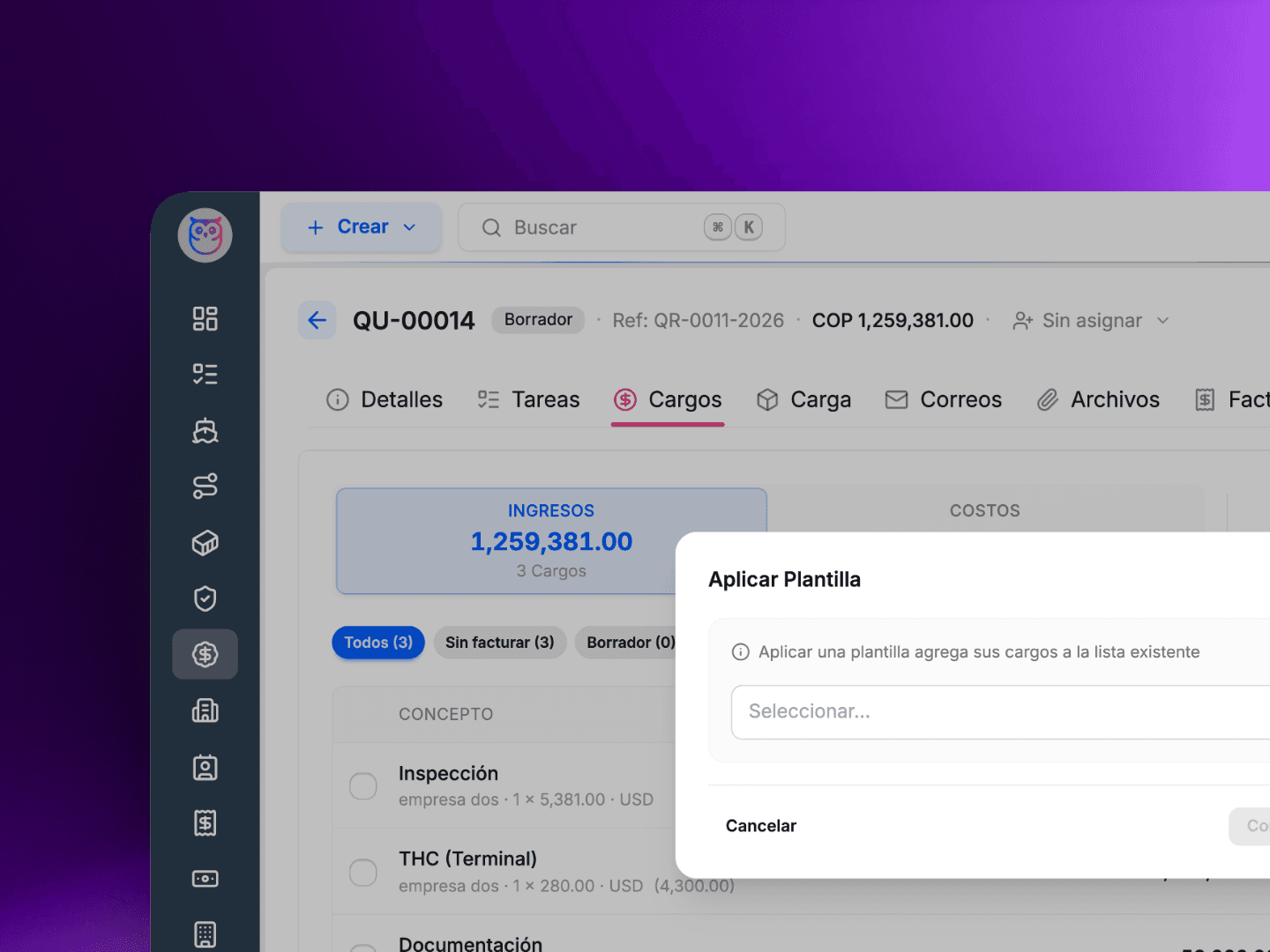
Deja de Re-digitar los Mismos Cargos Una y Otra Vez
Si tu agencia maneja rutas recurrentes o paquetes de servicios estandar, probablemente has digitado el mismo conjunto de cargos decenas de veces. Flete, manejo, documentacion, aduana - las mismas lineas, los mismos montos, las mismas partes. Es tedioso, y es donde se cuelan los errores.
Plantillas de Cargos te permiten definir un conjunto reutilizable de cargos una sola vez y aplicarlos a cualquier envio, oferta o factura con un solo clic.
Como funciona:cum
Ve a la nueva pagina de Plantillas de Cargos y crea una plantilla con tus lineas de cargo estandar - montos, direccion (ventas/costos), y opcionalmente a quien se factura.
Abre cualquier envio, oferta o factura y haz clic en Aplicar Plantilla desde el panel de cargos.
Todas las lineas se agregan al instante. Ajusta si es necesario.
Algunos detalles importantes:
Las plantillas pueden incluir cargos sin una parte facturada especifica. NuevaFlo resolvera la parte correcta automaticamente al aplicar la plantilla segun el contexto de la entidad.
Los cargos BUY tambien son compatibles -- activalo por plantilla cuando tu lado de costos sigue un patron predecible.
Crea tantas plantillas como necesites. Por ruta, por cliente, por tipo de servicio -- lo que se adapte a tu flujo de trabajo.
Menos repeticion, menos errores, respuesta mas rapida. Esa es la idea.
Tambien Corregimos
El boton flotante de acciones ya no se superpone con los controles de cargos en la parte inferior de la pantalla.
Stop Re-entering the Same Charges Over and Over
If your agency handles recurring lanes or standard service packages, you have probably typed the same set of charges dozens of times. Freight, handling, documentation, customs -- the same line items, the same amounts, the same parties. It is tedious, and it is where mistakes creep in.
Charge Templates let you define a reusable set of charges once and apply them to any shipment, quotation, or invoice with a single click.
How it works:
Go to the new Charge Templates page and create a template with your standard charge lines -- amounts, directions (BUY/SELL), and optionally who gets billed.
Open any shipment, quotation, or invoice and click Apply Template from the charges panel.
All charge lines are added instantly. Adjust if needed.
A few details worth knowing:
Templates can include charges without a specific billing party. NuevaFlo will resolve the right party automatically when you apply the template based on the entity context.
BUY charges are supported too -- opt in per template when your cost side follows a predictable pattern.
Build as many templates as you need. Per lane, per client, per service type -- whatever fits your workflow.
Less repetition, fewer errors, faster turnaround. That is the idea.
We Also Fixed
The floating action button no longer overlaps with charge action controls at the bottom of the screen.